
Must-Have Workforce Management Software Features For High Volume Hiring Teams
Top workforce software features to streamline high-volume hiring, boost speed, and ensure compliance.
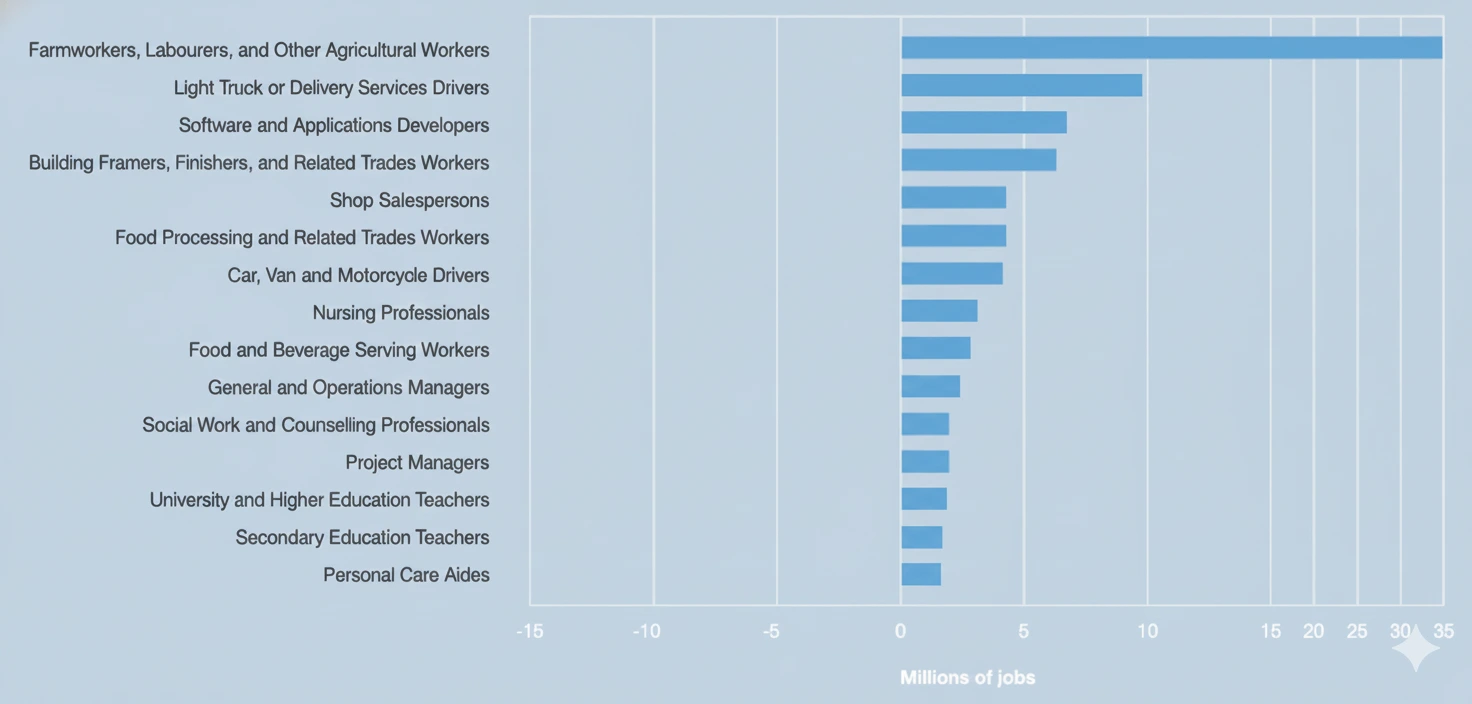
Earlier this year, the World Economic Forum’s Jobs Report, predicted a significant shift in the global job market, particularly within frontline sectors. Roles such as delivery drivers, farmworkers, food processors, and nursing professionals are anticipated to experience the most substantial net job growth, with demand projected to be in the tens of millions.
That’s exactly why high-volume hiring teams need more than just an ATS. They need a workforce management platform purpose-built for scale, speed, and frontline realities.
Not having the right recruitment tool can lead to:
- Slower time to fill as manual reviews end up creating bottlenecks
- Poor candidate experience, as applicants get more & more disconnected with each passing day
- Manual scheduling chaos as recruiters manage multiple roles and regions
- Compliance risks rise as the number of IDs, license checks and expiries increase
In this guide, we’ll break down some must-have features that modern workforce management software should include so your team can hire faster, stay compliant, and never miss a beat in the next hiring surge.
Continue reading: Top 10 Recruitment Automation Tools
Feature 1: Real-Time Document Collection & Qualification
Document collection is a major bottleneck in high-volume hiring, and creates enough friction for most candidates to drop off. Coordinators manually review IDs, licenses, permits, and insurance documents, missing out on minor issues such as blurry photos, expired cards, and missing pages. This turns a simple verification into a multi-day back-and-forth.
If you’re activating 300 workers and even 25% submit something incorrectly, your team is suddenly managing 75 separate email threads or text chains. That’s where most operations start falling behind, chasing candidates for the right credentials.
A modern workforce management platform should be able to:
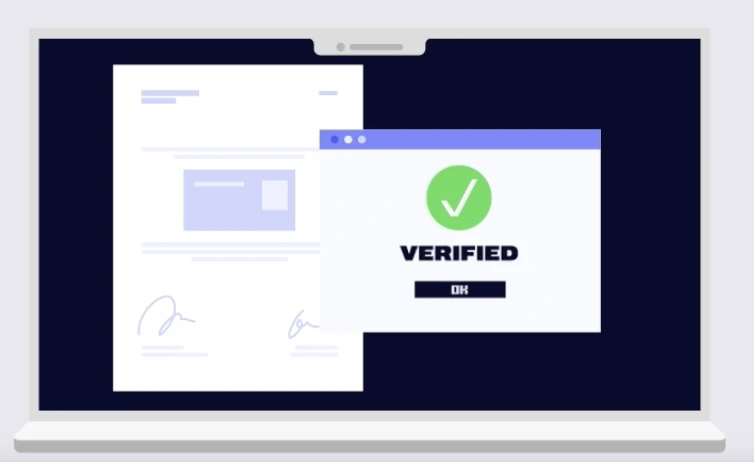
- Verify every document the moment it’s uploaded
- Detect issues instantly (blurriness, expired IDs, wrong file types, mismatched information)
- Prompt candidates automatically with a clean, mobile-friendly upload link
Pro Tip: Use AI voice callers to qualify candidates automatically after they apply. These virtual screeners can qualify applicants via call, record answers, and pass reliable decisions with supporting summaries to recruiters.
Feature 2: Automate Background & Portal-Based Checks
Once documents are collected, the subsequent slowdown occurs in the least efficient part of the process: manually logging into multiple portals to verify the authenticity of each submission. For most high-volume hiring teams, such as in the case of a fleet management company, this looks like:
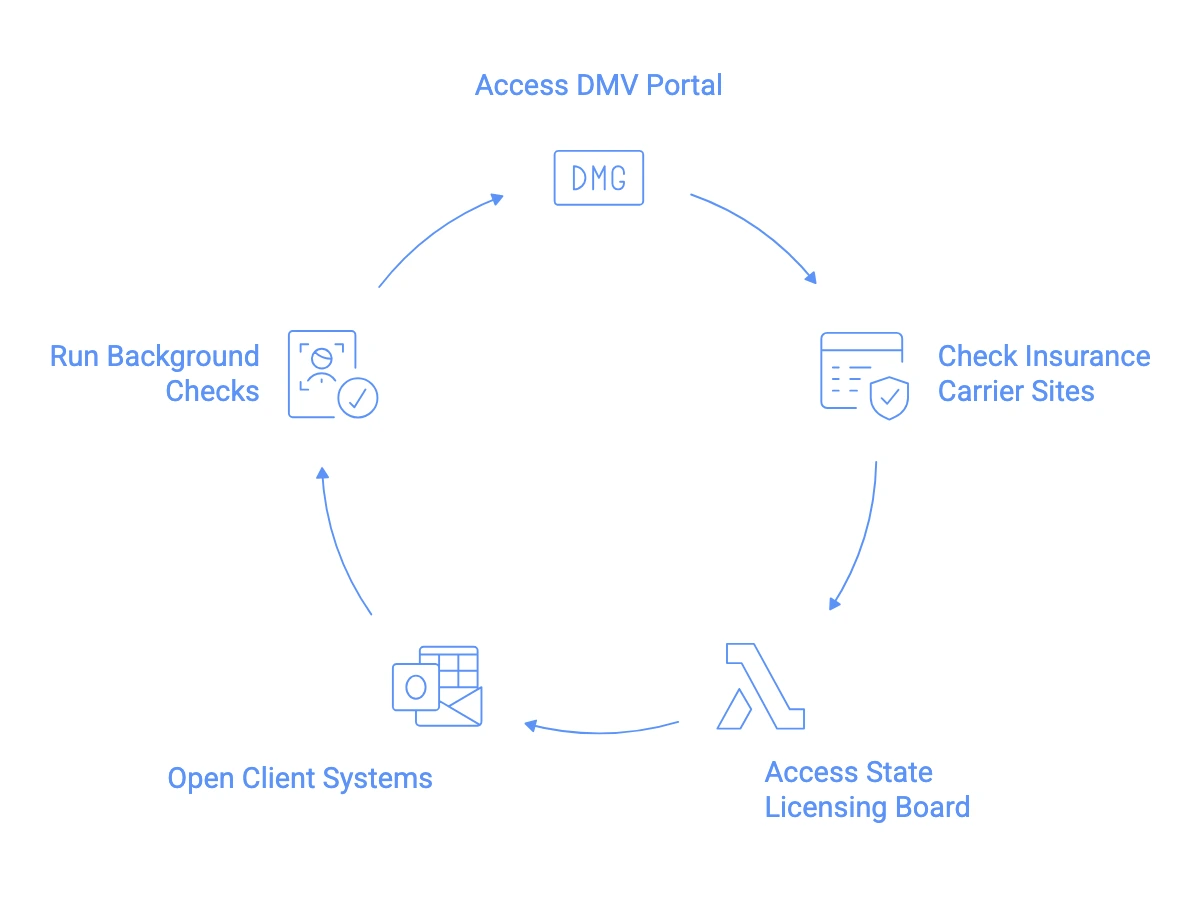
Each of these tasks takes 10-20 minutes, but the process is often hampered by delays ( waiting for results, switching systems, re-entering credentials, or timeouts). Ultimately, a single portfolio can consume 45-60 minutes of operational time before any follow-up work starts.
With 200–500 workers coming through the funnel, this math breaks immediately.

Automating these portal-based checks is a game-changer. A robust workforce management solution should possess the following capabilities:
- Run checks automatically the moment documents are uploaded
- Launch dozens of portal sessions in parallel, not one-by-one
- Capture screenshots and timestamps for audit trails
- Extract and store results without human involvement
- Handle retries and error states automatically (timeouts, captchas, re-logins)
Feature 3: Allows Workflow Automation
When hundreds of workers are coming through the pipeline at once, even a well-trained coordinator can lose track of what’s been sent, what’s pending, and what’s blocked.
This is where workflow automation becomes essential. A fully automated workforce management software should be able to:
- Trigger every step automatically as soon as the previous one is completed
- Assign tasks dynamically based on worker type, location, or client requirements
- Send reminders and follow-ups without coordinator intervention
- Identify blockers instantly, so teams know exactly where workers are stuck
- Provide a single dashboard showing progress across all active hires
Automated workflows do more than eliminate busywork. They reduce activation timelines, prevent compliance gaps, create a predictable onboarding experience, and free coordinators to fix exceptions, rather than evaluating the entire pipeline.
Check out the case study: How Wonolo achieved 99% faster onboarding with Firstwork
Feature 4: Does Continuous Credential Monitoring
Manually tracking the differing expiration and renewal dates in critical documents (licenses, permits, insurance, work authorizations, certifications) across various states or roles is virtually impossible. This is where many hiring teams get blindsided. Suddenly, fully active workers can’t be scheduled, paid, or placed right when you need them most.
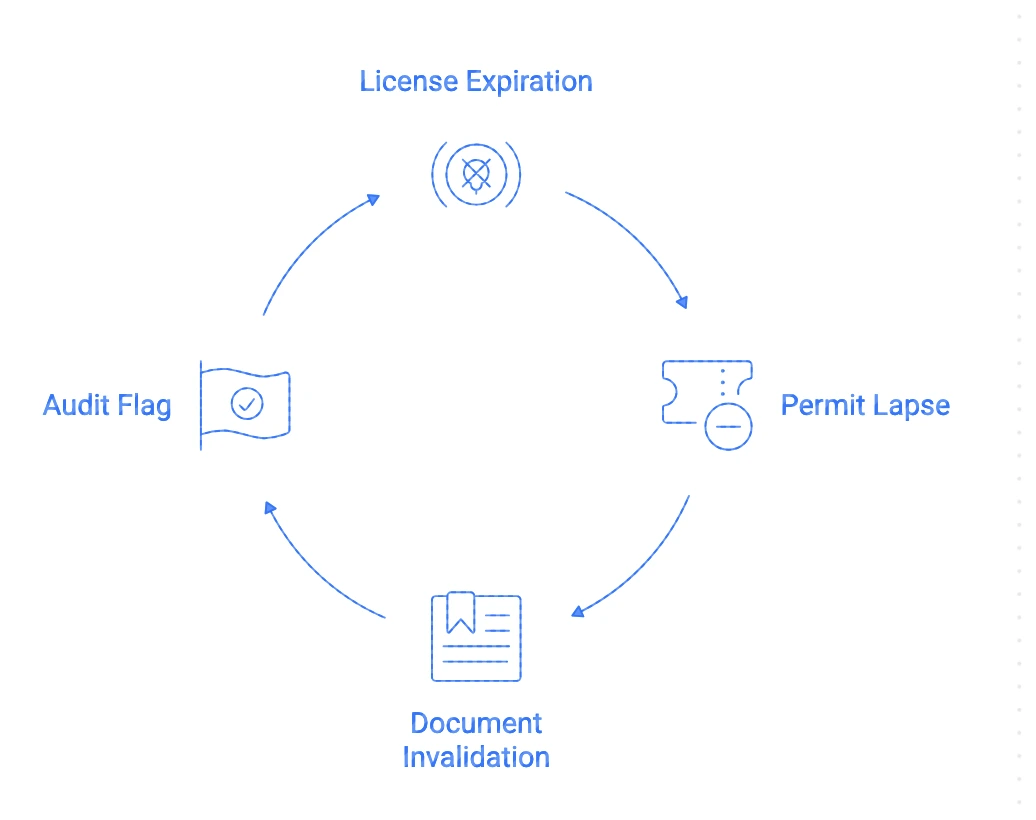
A workforce management platform that does continuous credential monitoring prevents these painful frictions, it automatically:
- Checks every active worker’s credentials daily
- Detects upcoming expirations weeks in advance
- Sends proactive reminders via SMS and email
- Blocks shift if credentials lapse
- Surface real-time dashboards showing renewal risks and priority actions
Feature 5: Automated Recollection for Missing or Invalid Documents
Even with clear instructions, a significant share of workers will upload the wrong document at least once during onboarding. It might be the back of an ID instead of the front, an expired insurance card, a sideways photo, or a completely different file. Every missing or invalid document, delays activation, and increases drop-offs.
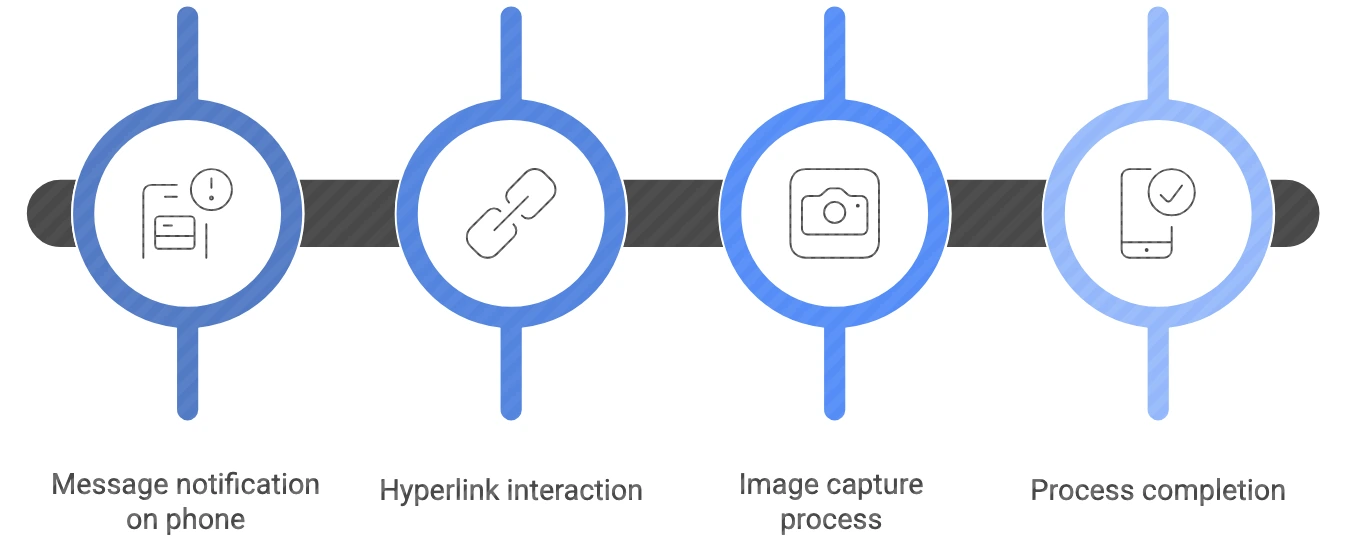
It’s ideal to look for workforce management solutions that can automate the recollection process by :
- Sending an automated SMS with a direct upload link
- Allowing the candidate to re-upload instantly (no login, no app needed)
- Validating the corrected document in real time
- Repeating the loop automatically until the document passes compliance
The candidate experience is fast and straightforward. For the operations team, the experience is transformative, eliminating the need for constant follow-ups.
Feature 6: Delivers Mobile-First Application Experience
Traditional ATS forms and desktop-heavy hiring flows weren’t built for frontline talent. Lengthy forms, mandatory logins, forgotten passwords, and poorly designed portals hinder the candidate experience. This type of friction, early in the funnel, is costly because it slows down the hiring process, and frustrates candidates.
A mobile-first workforce management platform should deliver:
- Tap-to-upload document capture using the phone camera
- Single-click links via SMS (no app download, no account creation)
- Auto-save progress so candidates never lose work
- Mobile-optimized flows that feel simple, not overwhelming
- Real-time status updates so workers aren’t left guessing
- Short, guided steps designed for small screens, not desktops
When the experience is designed for how frontline workers actually operate, completion rates skyrocket and support tickets drop. Candidates move through onboarding in minutes instead of days because the process feels intuitive, quick, and built for them.
Feature 7: Built-in Learning Management System (LMS)
Onboarding doesn’t stop after the paperwork. Frontline workers undergo training at scale and that process must be standardized, trackable, and quickly deployable.
A workforce management platform with an in-built LMS should:
- Deliver pre-start modules and day-one training directly within your hiring platform.
- Ensure every employee completes required certifications or safety protocols.
- Track who’s completed what, and send automated nudges for overdue tasks.
- Deliver location-specific training content based on geography or role.
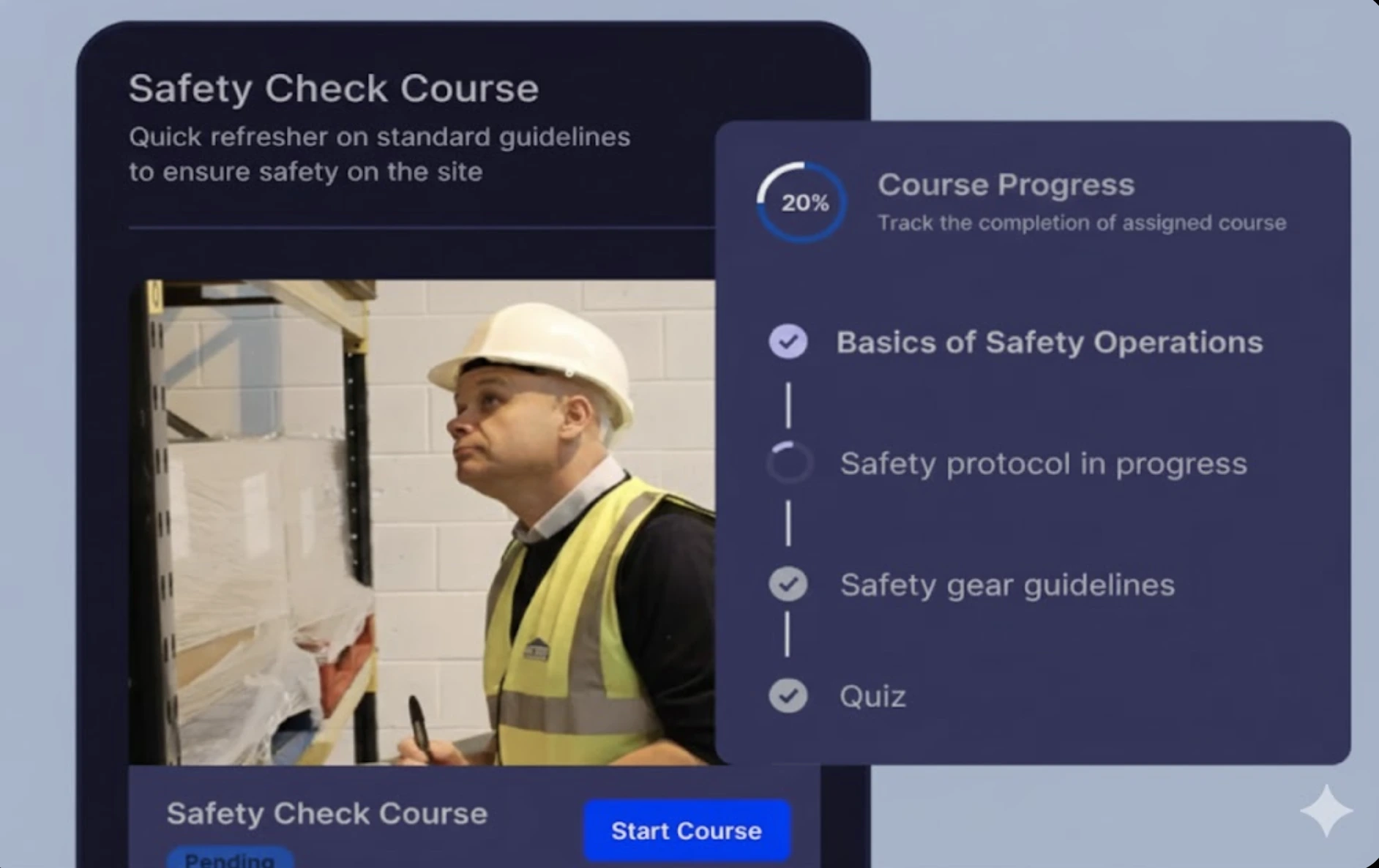
Pro Tip: Use interactive microlearning formats (videos, quizzes, checklists) to keep training engaging, especially for mobile-first, deskless workers.
Feature 8: Offers Seamless Integrations with Other Tools
The best hiring software doesn’t live in a silo. They sync effortlessly with the rest of your HR ecosystem, including payroll, HRIS, and scheduling tools.
It ensures that your existing hiring stack communicates with each other using APIs, webhooks, and pre-built connectors.
- Sync candidate and employee data across systems without manual entry or exports.
- Trigger onboarding, provisioning, and payroll steps automatically post-hire.
- Build integrations around your unique processes and tech stack.
- Eliminate double data entry and the errors that come with it.
Pro Tip: Look for platforms offering open API access and webhook support, so your developers (or your vendor’s) can tailor automations to your business logic.
Feature 9: Comes with Actionable Analytics Dashboard
CHRO’s need actionable data to understand where people are getting stuck, why timelines are slipping, and which bottlenecks are quietly costing the most money.
Most ATS and HRIS tools weren’t built for this level of operational visibility. They track traditional recruiting metrics like time-to-fill, but high-volume teams know that’s only the beginning. The real story lies in what happens after the offer is accepted.
This is where actionable insights and activation-specific metrics become essential.
The workforce management platform should automatically track metrics that ops leaders actually care about, including:
- Time-to-Activate (Median, Mean, and 90th Percentile): Shows how long it really takes to move a worker from offer to shift-ready — including where the long tail delays are hiding.
- Drop-Off Rates by Funnel Stage: Pinpoints where candidates abandon the process (document issues, long waits, technical confusion).
- Audit Exceptions & Discovery Time: Tracks how often credentials fail compliance and how long it takes to assemble evidence during audits.
The software must go beyond merely displaying numbers. It needs to proactively highlight trends, flag potential risks, and offer actionable recommendations for immediate resolution.
Want to See These Features in Action?
If you're hiring at scale, every minute saved per applicant compounds into hours saved per week and thousands of dollars per month.
Schedule a demo to see how Firstwork helps recruitment teams fill roles faster, at lower cost, and with higher compliance.